The checklist app
that runs in your browser
Build a checklist template once for any repeatable process — SEO audits, QA passes, onboarding, compliance reviews, project launches. Run it online on any page. Keep every result.
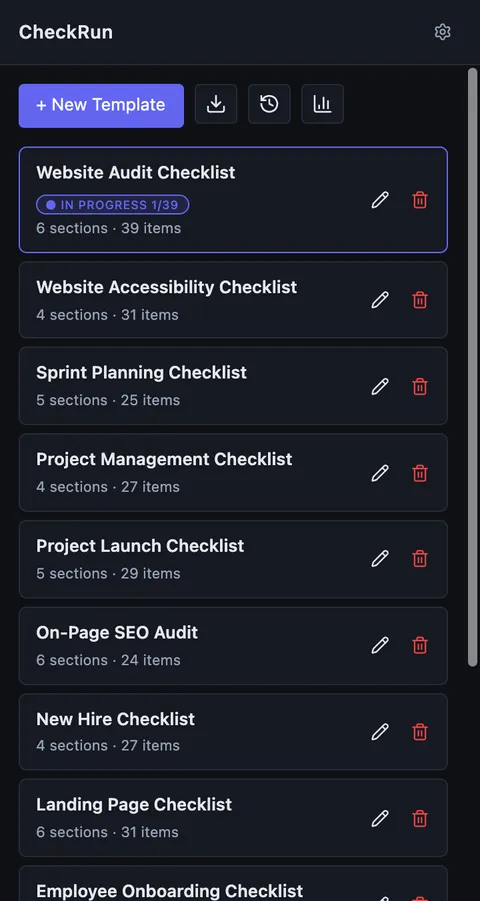
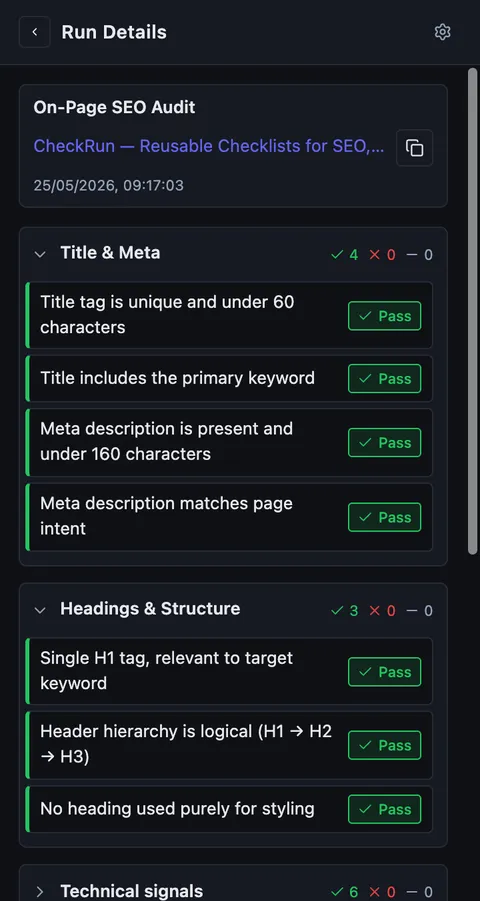
- Free
- No account required
- Data stays in your browser
- Free checklist maker
Template → Run → History
Build once, run every time, keep every result.
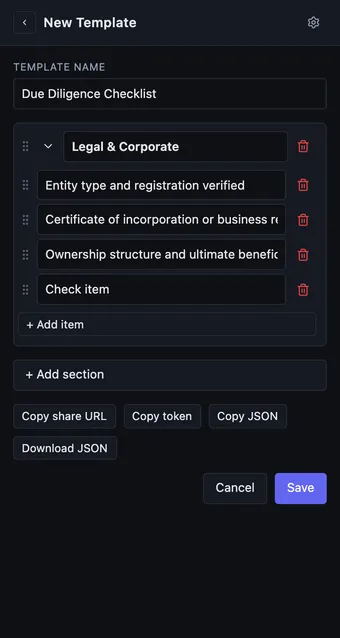
Build once.
Create a template for any workflow you repeat — SEO audit, onboarding, sprint planning, compliance review.
- Sections + check items, drag to reorder
- Collapsible sections for long checklists
- Share via link, token, or JSON file
- Recipients import in one click — no account needed
Run anywhere.
Open the CheckRun sidebar on any page. URL and title are captured automatically — no copy-pasting.
- Mark each item Pass, Fail, or N/A
- Add a comment on anything that needs attention
- Close mid-run and resume exactly where you left off
- Progress bar shows how far through the checklist you are
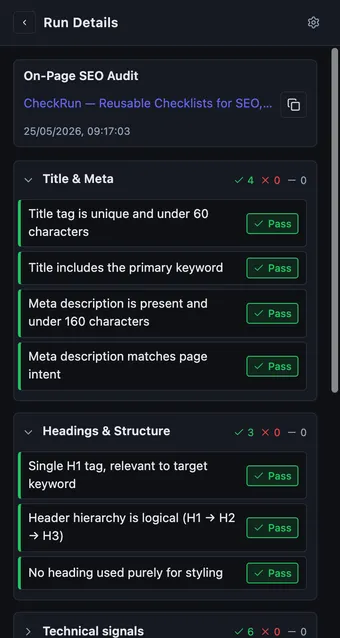
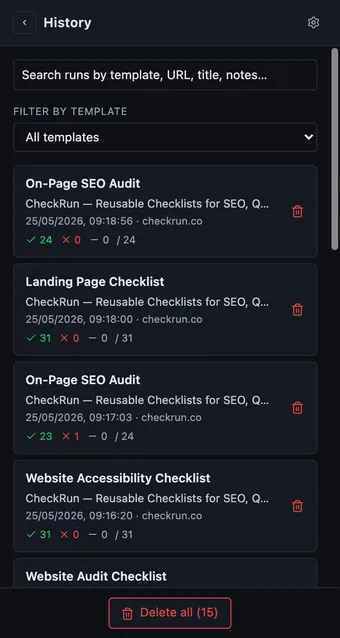
Keep every result.
Every run saves with date, URL, and all item statuses. Nothing gets lost between sessions.
- Search and filter runs by template or URL
- Export to CSV or push to Google Sheets
- Pass-rate donut chart per template
- See which items fail most often across all runs
Built for anyone with a repeatable workflow
If you run the same checks more than once, CheckRun pays off immediately.
SEO & web teams
- On-page SEO audit
- Landing page review
- Website audit checklist
- Accessibility check
QA & developers
- Pre-release pass
- Regression checklist
- Deployment checklist
- Performance audit
HR & operations
- Employee onboarding
- Offboarding checklist
- New hire checklist
- Compliance walkthrough
Project & product
- Sprint planning checklist
- Project launch checklist
- Due diligence review
- Stakeholder sign-off
Compliance & audits
- Compliance checklist
- Internal audit walkthrough
- Process checklist
- Supplier audit
Daily workflow
- Daily checklist
- Morning review routine
- End-of-day wrap-up
- Shift handover checklist
Content & marketing
- Landing page checklist
- Content publish checklist
- Campaign launch review
- Brand consistency check
Finance & legal
- Contract review checklist
- Due diligence checklist
- Vendor review
- Sign-off walkthrough
Ready-to-use templates — import in one click
Browse the full library or import any template directly into CheckRun.
Frequently asked questions
Is CheckRun free?
Yes. CheckRun is completely free. Install it from the Chrome Web Store and start using it immediately — no sign-up required.
Where is my data stored?
All checklists and run history are stored locally in your browser using chrome.storage.local. Nothing is sent to external servers.
Can I share templates with my team?
Yes. Share via a link, export/import a JSON file, or copy the JSON directly. Recipients import with one click.
Does it work on any website?
Yes. CheckRun works as a digital checklist tool on any website — use it as an online checklist directly in the Chrome sidebar. Open it, select a template, and run your checklist against the current page.
Can I use it for HR or project management workflows?
Yes. CheckRun works for any repeatable process — not just SEO or QA. Import ready-made templates for employee onboarding, sprint planning, compliance reviews, due diligence, and more from the template library.
What happens to my data if I uninstall?
All data is stored locally in your browser. Uninstalling the extension permanently removes it. Export a backup first via Settings → Export all data if you want to keep it.
Is there a Google Sheets integration?
An optional Google Sheets export is available. It only accesses files created by CheckRun in your own Google account — nothing else.

Start running checklists today
Free. No account. All data stays in your browser. Installs in 10 seconds.
Add CheckRun checklist app to Chromev0.7.11 · Chrome · Free